Lucky Block app: mobile access and Home Screen setup
 Available in AU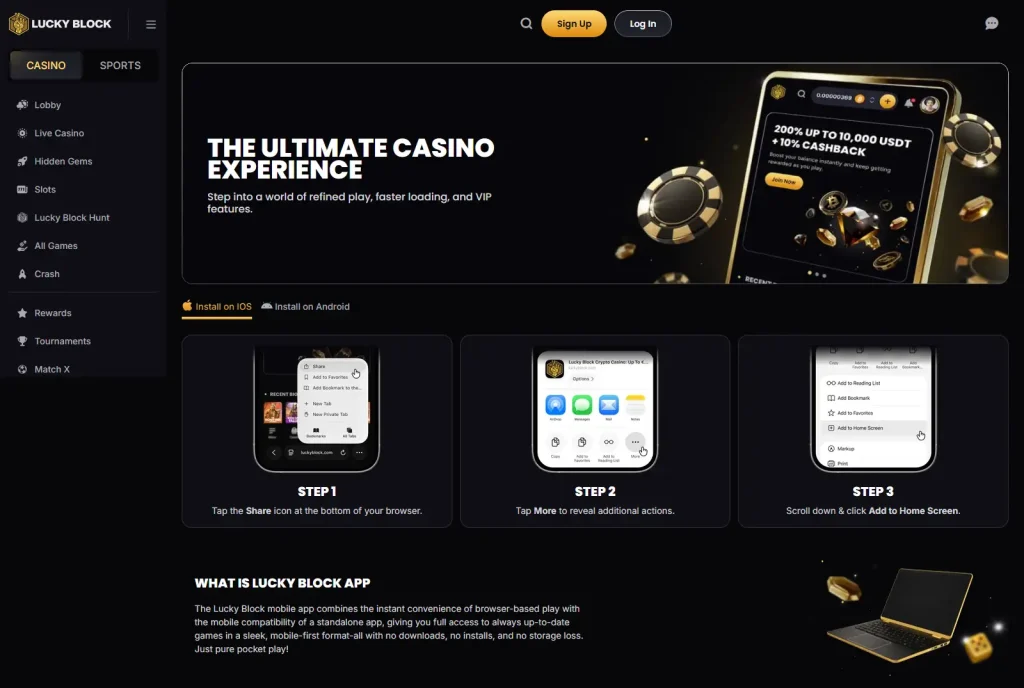
Lucky Block’s current mobile page describes its “app” as a browser-based mobile experience rather than a conventional native download. On iPhone, the published setup flow uses the browser Share menu and Add to Home Screen, creating a shortcut that opens the mobile site. The page also says the experience is designed to provide game access and account functions without a separate download or storage requirement. That explains the product format, but it does not establish that the service is authorised for Australian users. ACMA lists online casino services among the banned online services that providers must not offer to people in Australia, and Lucky Block has its own Australian enforcement and blocking history. For an Australian reader, the mobile technology and the regulatory position are therefore separate questions.
Table of Contents
- The current Lucky Block mobile setup is a browser shortcut, not a native app-store install
- Adding Lucky Block to a phone Home Screen changes the launch method, not the underlying service
- The main difference is presentation and launch convenience, not a separate casino catalogue
- Mobile convenience does not remove verification and account checks
- A mobile website can be technically reachable while the service remains prohibited for Australian customers
- Look at the delivery model before treating "app" as a native-app feature
- What a Home Screen installation changes and what it leaves unchanged
- What to check when judging the mobile experience
- Why browser-based delivery affects maintenance and access
- What Lucky Block mobile setup offers in practice
The current Lucky Block mobile setup is a browser shortcut, not a native app-store install
No separate download
The official mobile page says the experience works without downloading a standalone application or using extra storage for an install package.
Add to Home Screen
The published iPhone sequence uses the browser Share menu, then More, then Add to Home Screen.
Web-based functionality
Lucky Block presents the shortcut as a route to the same mobile-first service, including games and account functions.
Adding Lucky Block to a phone Home Screen changes the launch method, not the underlying service
The official app page is useful because it clears up a common ambiguity in casino app comparisons. Lucky Block uses the word “app”, but the page itself says there is no download or install in the conventional sense. Instead, a user opens the service in a browser and can add a Home Screen shortcut. On the published iPhone flow, the steps are to tap the Share icon, open the additional actions and choose Add to Home Screen.
That arrangement is closer to a web-app or progressive-web-app style experience than a native application distributed through an app store. The practical difference is that the service remains web-delivered. A shortcut can make repeat access feel more like opening a standalone app, but it does not turn the site into a separately installed iOS or Android binary.
Lucky Block also promotes the mobile format as compatible across operating systems and devices, with access to account functions such as deposits and withdrawals. Those are platform claims about the general service. They should not be read as evidence that every feature is available in every country or that a Home Screen shortcut changes local gambling rules.
The main difference is presentation and launch convenience, not a separate casino catalogue
A native app can have its own software release cycle, app-store listing and device installation. Lucky Block’s current public description takes a different route. It says the mobile experience combines browser access with the convenience of an app-like shortcut and keeps games current without a separate download.
| Feature | Published mobile approach | Practical implication |
|---|---|---|
| Installation | Add a shortcut to the Home Screen | No separate native package is required for the described experience. |
| Updates | Web-delivered content | The browser experience can reflect current site content without a conventional app update. |
| Storage | No standalone download | The service does not rely on a large installed app package. |
| Account functions | Lucky Block says deposits, bonuses and withdrawals are available from the mobile experience | These are general platform functions, not proof of Australia-specific access. |
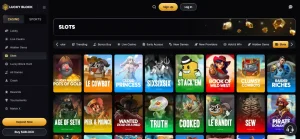
For game discovery, the same distinction matters. A mobile shortcut is not evidence of a smaller or different product by itself. The broader Lucky Block games guide looks at the public game catalogue and live-casino sections rather than assuming mobile creates a separate library.
For comparison purposes, this delivery model is best treated as a usability choice. It can simplify repeat access on a phone, but the browser remains the service layer and the same live site content remains the reference point.
Mobile convenience does not remove verification and account checks
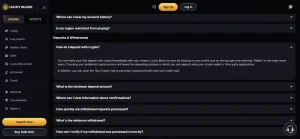
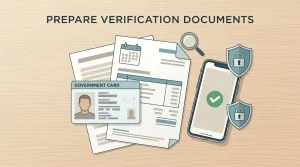
The mobile format changes how the site is opened, but the account still follows Lucky Block’s general account and verification framework. The official Help Centre says verification checks can be run after an account is created, and it publishes identity and address document examples. A user who reaches account functions on a phone should therefore expect the same underlying account controls rather than a simplified mobile-only identity process.
That is especially relevant around withdrawals. A responsive interface can make a wallet easy to use, but it does not remove a possible KYC request. The Lucky Block KYC guide explains the current document examples and why a visible signup or wallet screen should not be confused with proof of Australian regulatory permission.
A mobile website can be technically reachable while the service remains prohibited for Australian customers
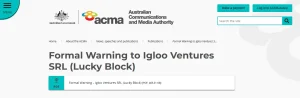
ACMA’s current explanation of the Interactive Gambling Act states that online casinos are among the banned online services that providers must not offer to people in Australia. ACMA has also taken Lucky Block-specific action: it found the service had been provided to customers physically present in Australia and later requested Australian ISPs to block luckyblock.com.
A technical observation such as “the page loads on a phone” or “the shortcut can be added to a Home Screen” is not an answer to the regulatory question. Website availability can change by network, device or enforcement action.
Look at the delivery model before treating “app” as a native-app feature
- Check whether the product is distributed through an app store or simply added from a browser.
- Separate interface convenience from the underlying account, KYC and payment rules.
- Compare the public mobile catalogue with the main site before assuming the phone version has different games.
- Keep country-specific access and licensing questions separate from device compatibility.
- For Australia, use ACMA’s current regulatory information rather than treating technical reachability as permission.
For the broader brand and Australian regulatory context, see the Lucky Block Australia guide.
What a Home Screen installation changes and what it leaves unchanged
Adding the Lucky Block website to a phone’s Home Screen mainly changes how the service is launched. It can create an icon and a more app-like entry point, but the underlying product remains web-based rather than becoming a separate native application with an independent account or catalogue. Login, verification and payment requirements still belong to the same service.
This distinction is useful when comparing mobile casino products because the word “app” can describe very different delivery models. A native app-store package, a browser website and a Home Screen shortcut may all feel app-like to the user, yet installation, updates and browser dependence are not the same. Lucky Block’s current public guidance describes the browser/Home Screen model.
The mobile route also does not create a separate Australian access position. A shortcut can make a website easier to open, but it cannot change ACMA’s treatment of the underlying online casino service. Technical convenience and regulatory status remain separate questions.
What to check when judging the mobile experience
Because the service is web-based, a useful mobile review focuses on whether navigation, account controls, games and wallet functions remain understandable on a smaller screen. It is also worth separating the initial launch experience from later account steps: a page can open quickly while verification or payment actions still require documents, confirmations or additional review.
Live casino can place more demands on a mobile connection than ordinary browsing because it combines streamed video with time-sensitive controls. Slots and static account pages have different practical requirements. Treating all mobile activity as one experience can therefore hide meaningful differences between simply opening the site and using its more demanding features.
Why browser-based delivery affects maintenance and access
A web-based service is updated through the site rather than through a separate app-store package. That can simplify how the latest interface is delivered, but it also means browser behaviour, stored site data and connection quality remain part of the mobile experience. The Home Screen icon changes the entry point, not the underlying delivery model.
What Lucky Block mobile setup offers in practice
Lucky Block’s present mobile proposition is straightforward: a mobile-first browser service that can be pinned to a Home Screen and reopened like an app, without a conventional native download. That can reduce installation friction and keep the experience tied to the current web service. It does not create a separate mobile regulatory status or remove account verification controls. For Australian readers, the useful takeaway is to evaluate the mobile format as a product feature while treating ACMA’s enforcement and online-casino rules as a separate, controlling access question.